
Assistant Agent: run GMB Club in plain language
Who this is for: you want to manage your online presence without jumping from one screen to another. You ask in one sentence ("summarize my reviews", "schedule a post for Saturday"), and your AI agents read your data and act, with your confirmation.
What you'll see: what the Assistant Agent is, how to open it, how to talk to it, how the result of an action is shown, and what you find in the history.
What the Assistant Agent is
The Assistant Agent is GMB Club's conversational agent. You talk to it like to a colleague, and it coordinates your team of seven AI agents: each one answers you within its own field, with your real data. It reads your account and acts on it when you ask, and it always asks for your confirmation before an action.
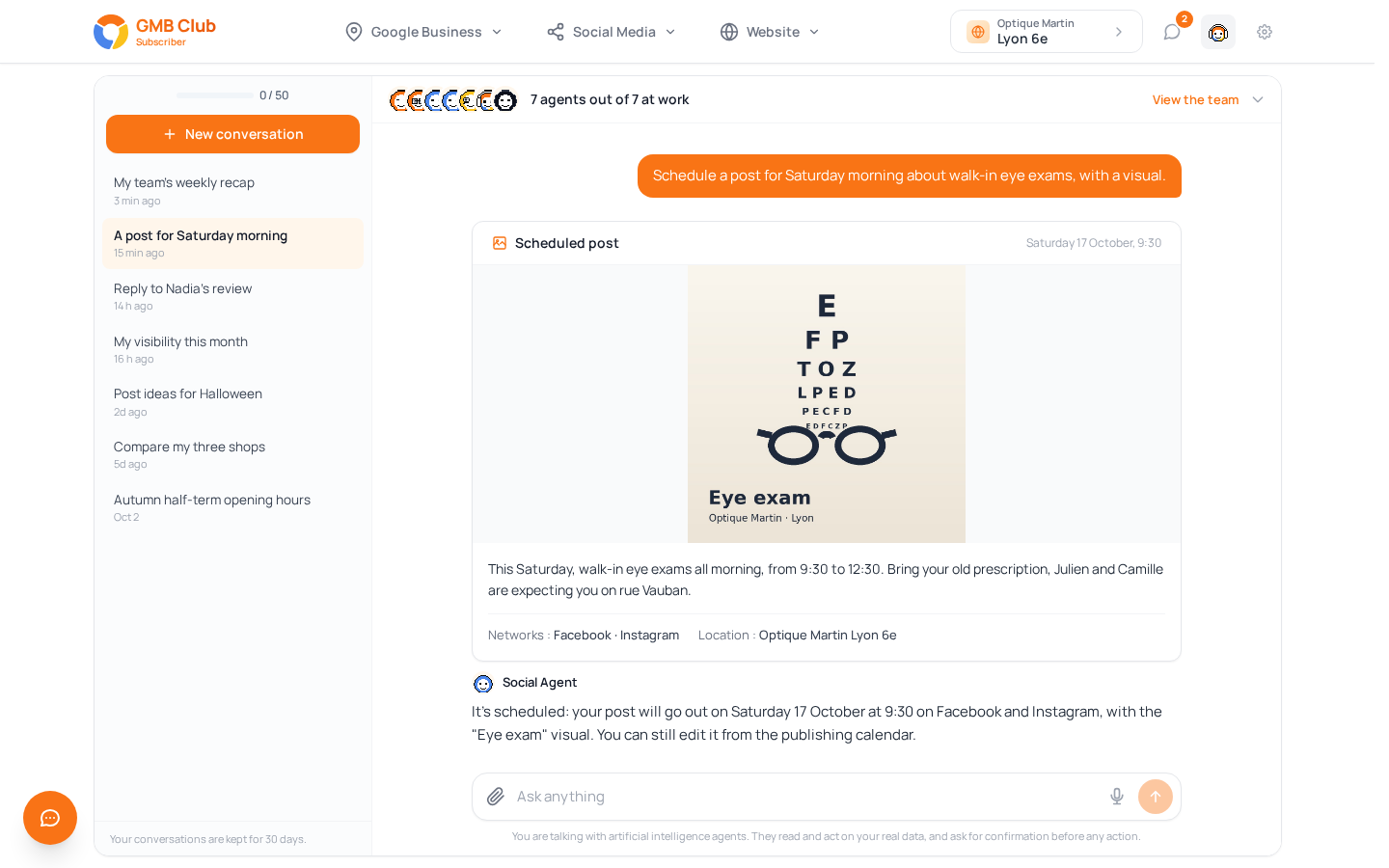
In the conversation, the Assistant Agent hands over to the agent concerned: its mascot and its name appear above its answer. For a post, for example, it is the Social Agent that answers you.
| Agent | Its field |
|---|---|
| Reviews Agent | Replies to Google reviews in the location's tone. |
| Visibility Agent | Completes your Google listing and keeps an eye on it. |
| Social Agent | Prepares your posts and their visuals for your networks. See Social media. |
| SEO/GEO Agent | Writes articles for Google and for AI engines. See Articles. |
| Messaging Agent | Prepares replies to your Messenger and Instagram messages. |
| Identity Agent | Learns your business, your tone and your brand, and feeds all the other agents. |
Open it
Click the mascot in the top bar, between the messaging icon and the settings gear. URL: /agent-ia
You can also write directly in the Ask your Assistant Agent field on your dashboard.
The home screen asks you What would you like to hand over to your agents? and offers four suggestions to get started: Review my team, Summarize my reviews, Prepare posts and Run an SEO scan. Click one of them to start.

At the top of the screen, the row of mascots shows how many of your agents are at work (7 agents out of 7 at work in the example). View the team shows your team of agents: that is where the Social Agent's and the SEO/GEO Agent's settings open from.
Talk to it: by keyboard or by voice
At the bottom of the screen, the Ask anything field takes your request:
- By keyboard: type your request, then send it with the arrow on the right.
- By voice: click the microphone to dictate.
- With a file: the paperclip, to the left of the field, lets you attach a file.
No need for technical wording: ask the way you would say it out loud. For example:
- "Schedule a post for Saturday morning about walk-in eye exams, with a visual."
- "Reply to my pending reviews."
- "How is my visibility doing this month?"
- "Draft a post for next week."
The result of an action
When an agent acts for you, the result is shown as a card, with the key elements to check. For a post, the Scheduled post card shows the date and time, the visual, the text, the networks and the location concerned. The agent then confirms in one sentence what is going to happen.
Other requests give other cards, for example your Google listing's figures or a review reply.
The principle to remember: your agents read and act on your real data, and ask for confirmation before any action. The app reminds you of this under the input field.
History and quota
The left-hand column brings together:
- at the top, a counter (for example 0 / 50) that shows where you stand with your quota;
- the New conversation button, which opens a blank thread;
- your previous conversations, from the most recent to the oldest, with how long ago they took place. Click one of them to reopen it.
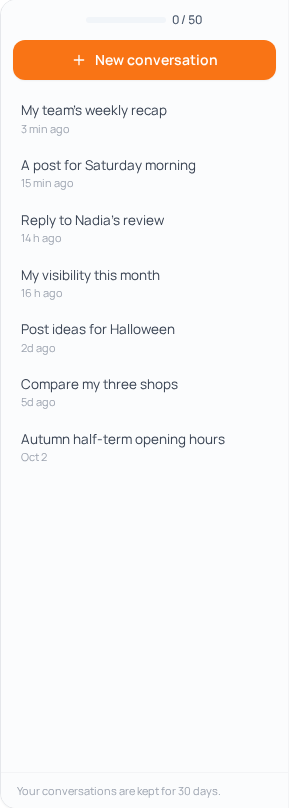
Your conversations are kept for 30 days.
Frequently asked questions
Does the Assistant Agent act without my agreement? → No. Your agents ask for confirmation before any action.
What is the difference with my other agents? → The Assistant Agent is the one you talk to. It coordinates the other agents and hands over to the one that knows the subject. The other agents also work on their own side, each within its own field, according to the settings you give them.
Can I speak instead of typing? → Yes, with the microphone button in the input field.
How long are my conversations kept? → 30 days. They are listed in the left-hand column.
Where do I set the rhythm of the Social Agent or the SEO/GEO Agent? → In your team of agents: View the team at the top of this page, or the Your team at work card on the dashboard. The details are in Social media and Articles.